
Not another shiny dashboard.Make the workshop boring again.
Busy used to be simple. Now it's customers chasing updates, missing parts, half-finished estimates, and jobs slipping into next week.
SwiftQuote takes care of the noise in the background. So the day runs the way it used to — just faster and boring.
SwiftQuote Teams is currently in live testing with real bodyshop workflows. If you would like early information or to discuss whether it could fit your workshop, get in touch.
You walk across the workshop for one thing and get stopped three times. You answer a question, then another, then forget why you went out there in the first place.
SwiftQuote handles the interruptions quietly, in the background.
Real time saving is not dramatic. It is reception answering the phone from the live record, a technician logging time without being interrupted, and the owner seeing which jobs are stuck before the day gets away.
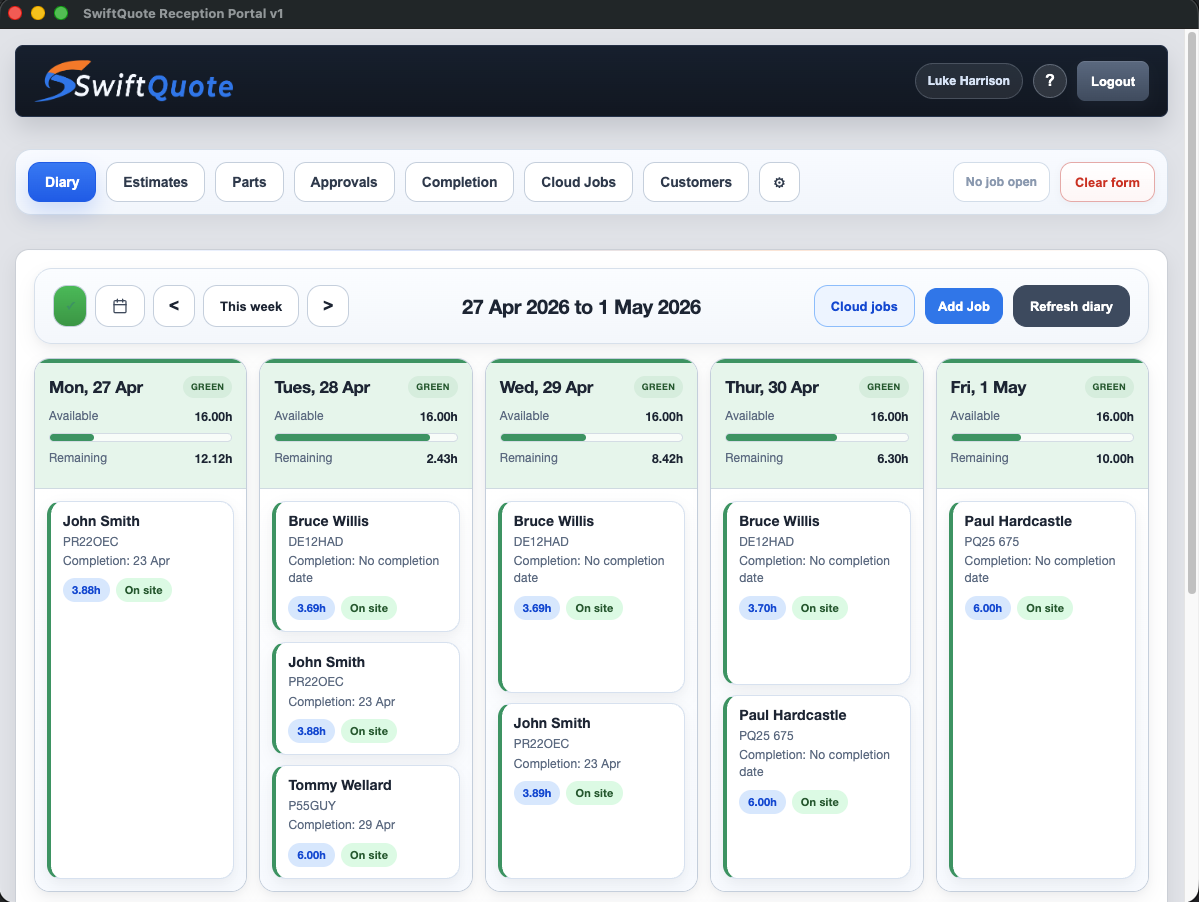
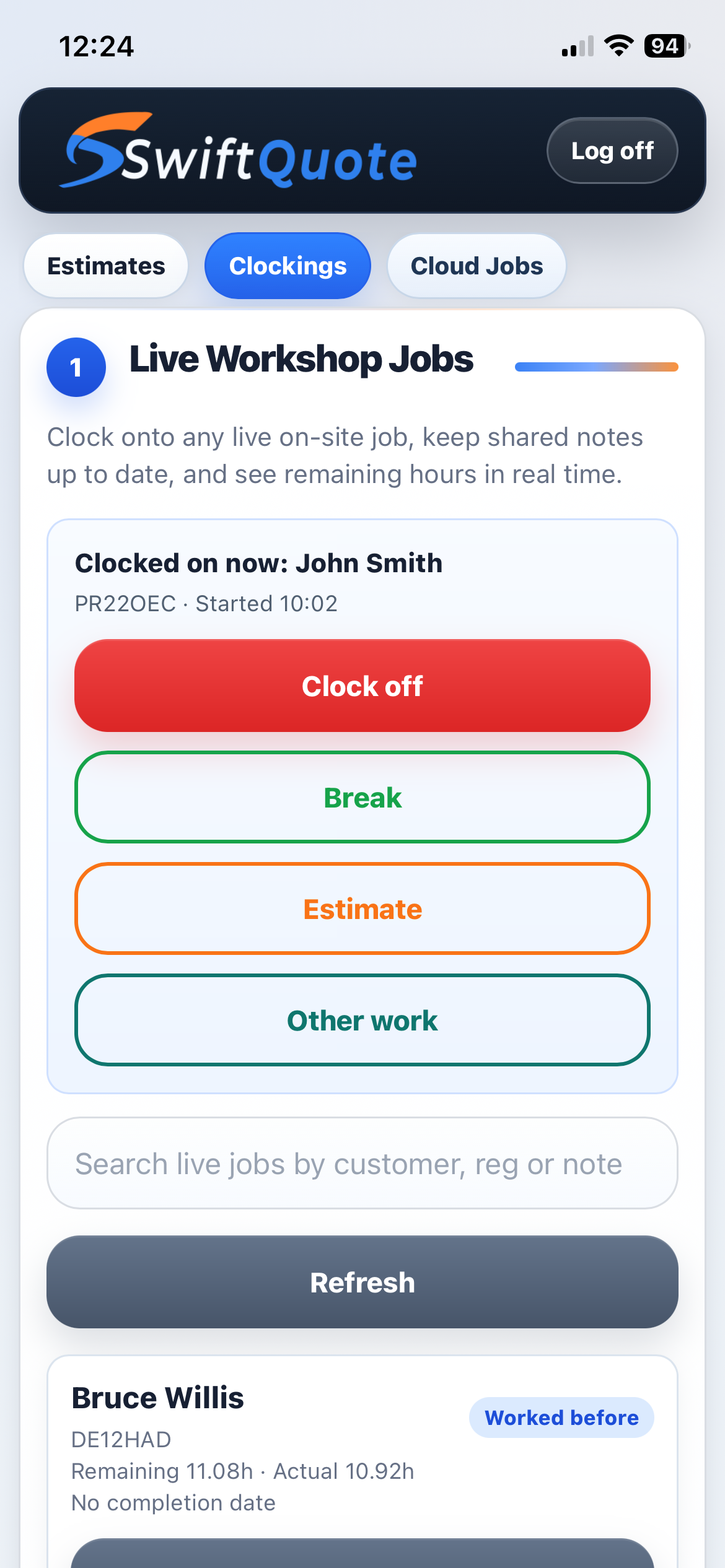
This is where time gets lost.
Most time is lost in small gaps, not big disasters.
The page is for bodyshop owners who know the pain already. The car is not lost. The estimate is not broken. The customer is not angry yet. But nobody knows the exact answer without asking two people, checking a note, walking across the workshop, or searching an inbox.
One place to check before you answer.
Customer approval, job status, parts pricing and completion are not separate little mysteries. The point is that reception can look at the job record first, then answer from what is actually there.
That is the difference between "I'll just go and ask" and "I can see where that is up to."
Nothing is broken. But nobody has the full picture.
The system nags about the things that usually get forgotten.
The important bit is not that SwiftQuote has warnings. It is what those warnings replace: memory, scraps of paper, and people interrupting each other to find out whether someone else did the next step.
A job has repair work but the parts cost is not final.
A technician has found extra work during the repair.
A portal reply needs action.
A technician has marked the job complete.
The flags are there because people are busy.
A warning is not a gimmick. It is the system remembering the thing that normally lives in someone's head: price this part, chase this approval, print this summary, check this supplement.
That is boring in the best possible way.
Most problems start small.
Boring examples. Useful examples. The sort that actually cost time.
"Has Mr Jones approved his estimate?"
Reception does not have to check missed calls, search old emails, or shout across the office. They search Cloud Jobs by surname, registration, or reference, open Approvals, and read the latest customer event.
- Search the job in Cloud Jobs.
- Open Approvals and check the latest event.
- If approved, confirm it and move the job to booking.
- If pending, resend the approval link by email.
"We need parts, but I do not know the price yet."
The estimator ticks that parts pricing is required. Reception gets the warning, prices the lines later, saves them, and the estimate total stays connected to the job.
- Estimator creates the estimate and selects the work.
- Unknown part price is marked for reception.
- Reception opens Parts, enters supplier and price details.
- The job total is rechecked before sending or booking.
"The technician has found more work."
The technician raises a supplement from the live job. The extra labour, paint, and parts are recorded against the original job instead of becoming a separate conversation.
- Technician adds supplement details in the app.
- Reception sees the supplement warning.
- Parts are priced if needed.
- Customer approves or declines through the approval flow.
- Approved extra hours are added back into the diary plan.
"Is the car ready for collection?"
When the technician marks complete, reception sees the completion action. The work summary is printed, accounts export is handled if needed, and the customer gets a confident answer.
- Technician marks the job complete.
- Reception opens the job from Cloud Jobs.
- Completion summary is previewed and printed.
- Insurance split or accounts export is handled where needed.
- Customer collection is arranged.
"That job has disappeared."
Usually it has not. It is under a different search term, the list needs refreshing, or it has not been added back into the diary. Cloud Jobs gives the team a sane first place to look.
- Refresh Cloud Jobs.
- Search registration, estimate number, or customer surname.
- Open the job and check status dates.
- If missing from the diary, add it back with the correct booked-in date.
"Can we fit this in next week?"
The diary is not just names on dates. It uses working days, booked hours, closures, and time logged so capacity is visible before a promise is made.
- Find the accepted estimate in Cloud Jobs.
- Check the required hours.
- Review available diary days before agreeing a date.
- Add the job, set booked-in and target completion dates.
- Save the schedule.
If this sounds like your workshop, you'll already know where time is being lost.
Find out how SwiftQuote worksThe work is ordinary. That is why it matters.
A normal working day, with fewer loose ends.
This is where the system earns its keep. Not in a boardroom demo. In the repeated checks that keep reception, estimators, technicians, and owners working from the same version of the truth.
Morning check
Open the diary, check warning banners, refresh Cloud Jobs, and see what needs pricing, approval, collection, or booking before the phone starts.
Customer calls
Search by registration or surname, answer from the live job record, resend approval links, and avoid promises based on memory.
Workshop movement
Technicians clock on and off jobs. Actual time feeds progress, attendance, efficiency, and the diary picture without a separate admin job.
End of day
Check incomplete warnings, completed jobs needing summaries, parts still pending, and anything that will become tomorrow morning's first problem.
The diary should show the work, not just the plan.
When technicians clock on and off jobs, the day stops being a guess. It gives reception and the owner a better answer to the question that comes up all the time: where are we actually up to?
It is not more admin if it stops three interruptions later.
This is not about making staff type more. It is about making the work visible.
The commercial value is not a fancy screen. It is fewer interruptions, fewer missed handovers, fewer duplicate records, fewer customer call-backs, and a better chance that the owner sees the problem while it is still small.
Someone still owns the job. The system just keeps the handover honest.
Clear ownership means fewer "I thought someone else had done it" moments.
Reception
Booking, customer calls, approvals follow-up, parts pricing checks, completion paperwork, and export handover.
Estimator
Customer and vehicle details, photos, work lines, pricing baseline, clear wording, and estimate quality.
Technician
Live clockings, accurate job time, supplement requests, notes from the repair, and marking complete when work is finished.
Owner / Admin
Workshop settings, open days, closures, users, permissions, supplier lists, reports, and the monthly view of throughput.