
Know where every job stands without asking anyone.
Built from real bodyshop experience. A simple system that replaces the chasing, guesswork, and duplication of a busy workshop.
Everyone sees the same job status. No chasing. No asking.
SwiftQuote Teams is currently in live testing with real bodyshop workflows. If you would like early information or to discuss whether it could fit your workshop, get in touch.
No extra process. Just better visibility.
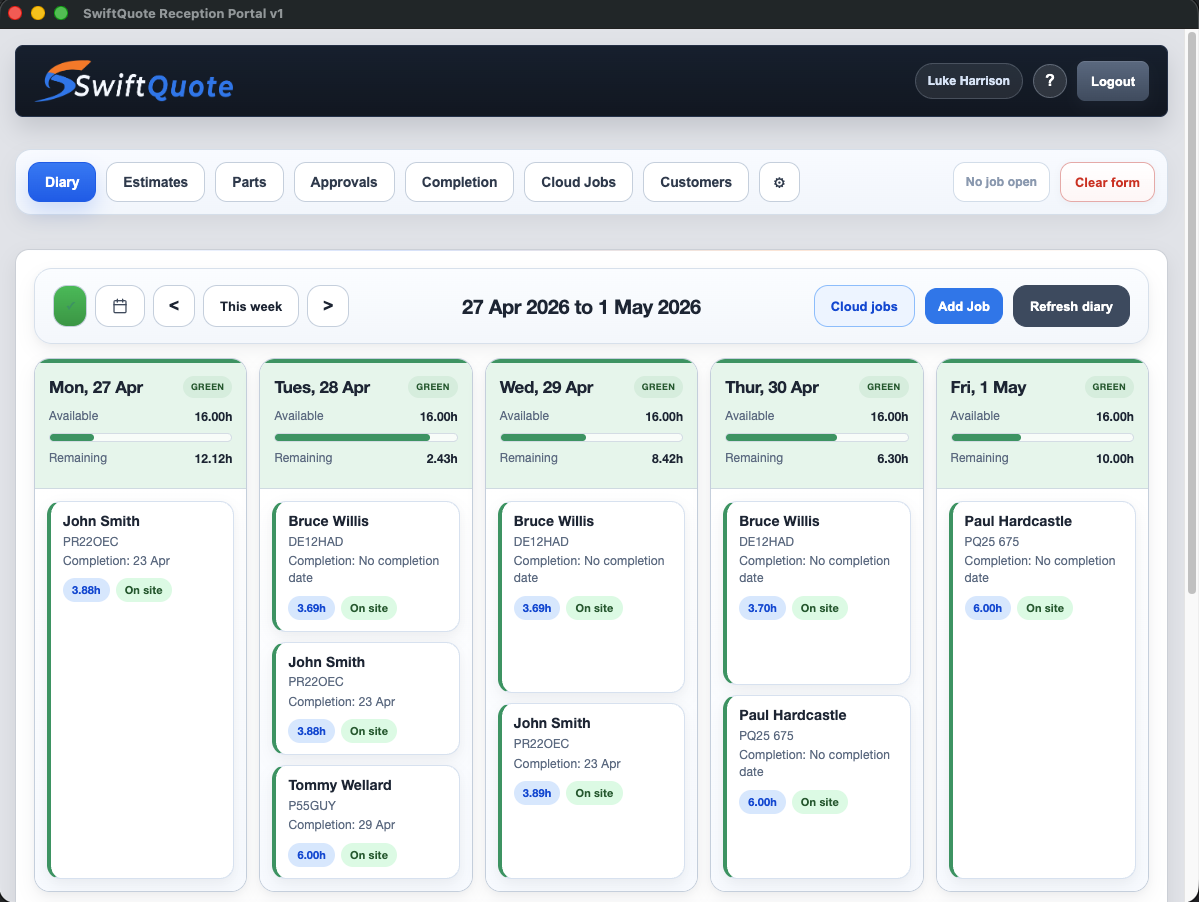
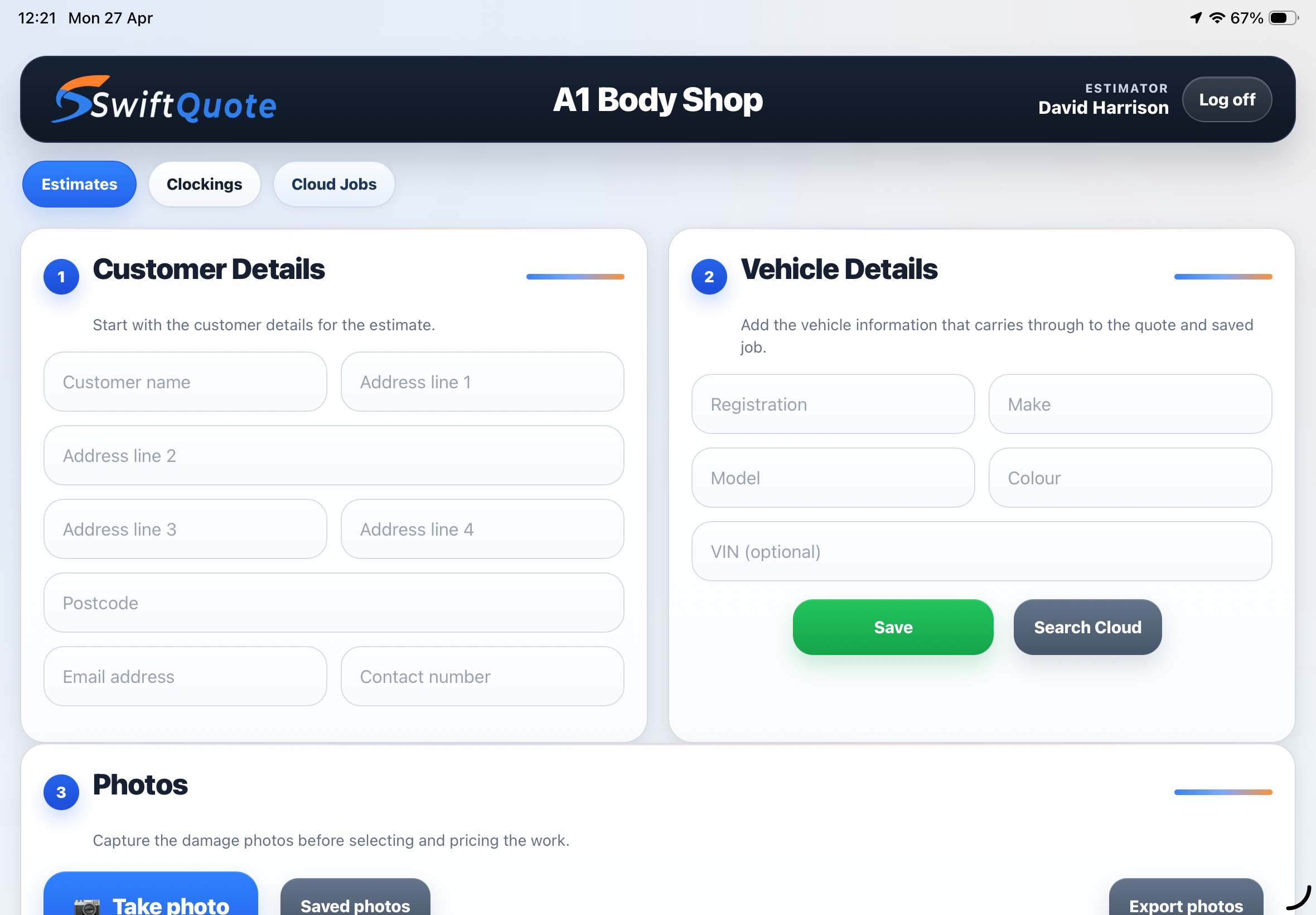
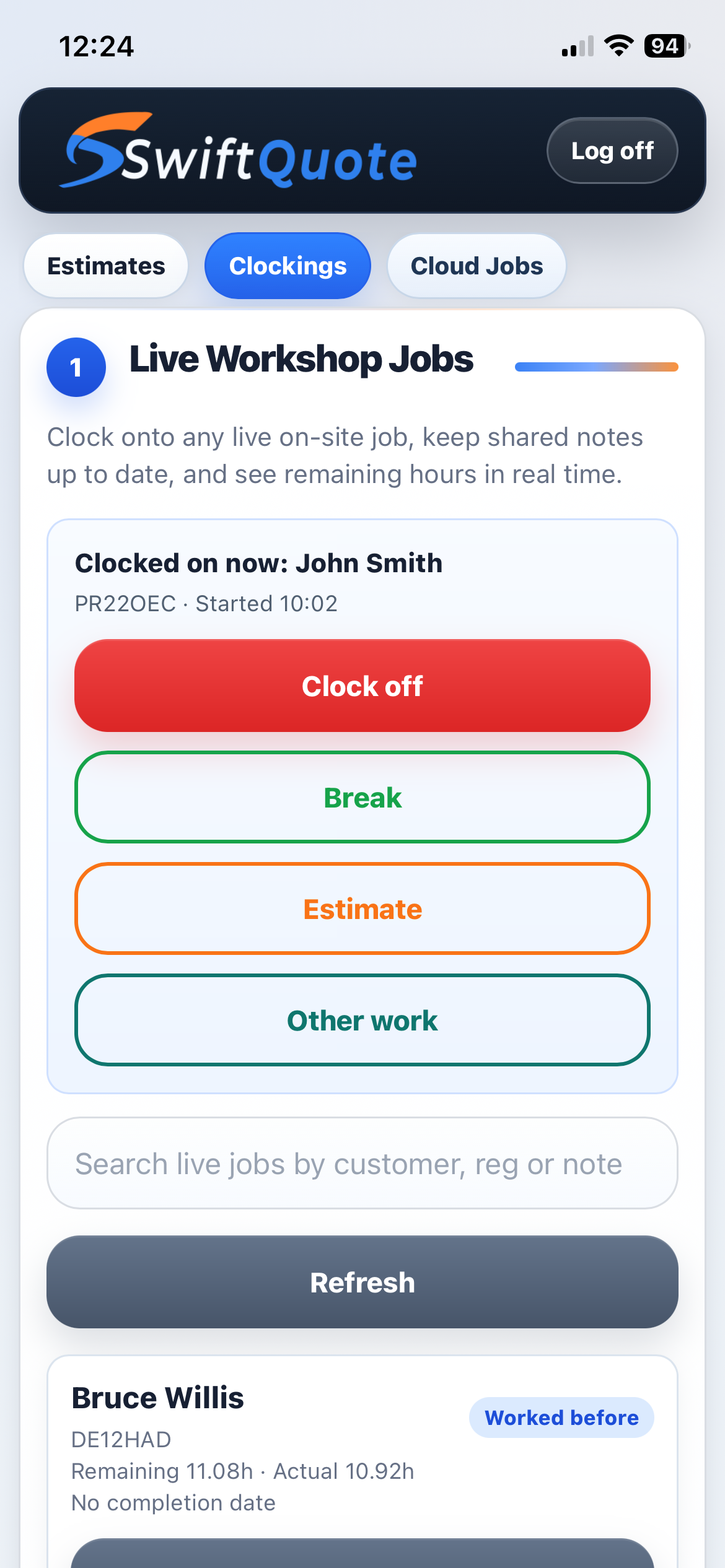
Estimators and technicians on iPhone, iPad, Android phone or tablet
Reception and job management from any browser
Customer-facing: view estimate, approve work, receive updates
Front desk and workshop — full access at a fixed workstation
Real-time sync across every device, every user, always
Want to experience boring again?
The system overview is here. The day-to-day version shows the ordinary workshop moments it fixes: missed approvals, parts pricing, customer calls, supplements, completion paperwork, and the little interruptions that eat the day.
What this system actually does
Everyone in the bodyshop works from the same live information.
Estimators, technicians, reception, management.
Most bodyshops run on verbal updates.
This replaces that with live information.
Estimates, job tracking, and customer communication all sit in one place. When anything changes, every device reflects it immediately.
What changes immediately
- Job status visible at a glance
- No re-entering estimates
- Reception answers customers instantly
- No interruptions to technicians
- Completion dates based on real data
- Nothing duplicated
A real bodyshop day, step by step
How a job moves through the system from first contact to completion.
Customer and vehicle entered
Entered once — on a phone, tablet, or at the front desk. Nothing written on paper to transfer later.
Estimate created on phone or tablet — with photos
Damage recorded, photos attached, labour and parts added — all in the app, in the moment. Saved automatically. No clipboard notes, no photos to email across later.
Estimate sent to the customer instantly
The customer views the breakdown, sees damage photos, and can even approve the work without calling in. Approval recorded automatically.
Job booked into the diary
Labour hours distributed across working days in the diary. Capacity impact visible immediately. Overbooking shows up before it becomes a problem.
Vehicle arrives — appears in the system immediately
Marked as on site. Reception, estimator, everyone sees it immediately.
Work begins — tracked in real time
Technicians clock in from the app. Time logs against the estimate. Progress shows as a percentage. Reception sees it without asking anyone. The diary updates as hours are recorded.
Parts added and supplements logged without breaking flow
Supplements added if additional work is found. Parts recorded at any stage. The full job record stays intact — insurers, customers, and internal records all see the same history.
Job completed — customer updated without asking technicians
Customer notified directly from the system. No one walks to the workshop to check. No note written, no call across. The status is already there.
What this replaces
Every bodyshop has the same version of this problem.
What everyone can see, right now
The information is live and available to whoever needs it — without anyone having to report it.
- All jobs booked
- All vehicles on site
- Which jobs have not started
- Which jobs are in progress
- Completion percentage for each job
- Expected completion date from the diary
- Customer approval status
- Full job history and documents
- Clock into jobs from the app
- Log time as work progresses
- Update status without admin work
- Access job details and estimate
- No interruptions to report progress
- Parts and supplements added in-app
- Check job progress from anywhere
- Confirm completions remotely
- Manage supplements against live jobs
- View insurer approvals and documents
- See diary capacity before booking
- Full estimate history on every vehicle
Everything updates instantly. Fewer interruptions across the workshop. Technicians stay on the job.
A working schedule, not a basic calendar
This replaces guesswork with a working schedule.
Most bodyshop diaries are a calendar with job names against dates. SwiftQuote Teams works differently.
When a job is booked, estimated hours are distributed across working days. As technicians log time, the diary updates. Remaining workload adjusts. The schedule reflects what is actually happening, not what was planned at booking.
This is not a calendar. It is a live schedule based on real work being done.
How it works
- Estimated hours distributed across working days at booking
- Actual time worked deducted in real time as technicians log it
- Remaining hours automatically redistributed
- Capacity shown across the week: under-booked, full, overbooked
- Expected completion date derived from scheduled hours, not guesswork
- Workshop manager sees the real picture at any point in the week
"In 30 years in the automotive industry, this level of control in a diary system is rare."
— SwiftQuote TeamsEverything visible in seconds
You can see this in seconds:
Less missed information. Fewer mistakes at handover.
Estimates approved but not yet scheduled. Nothing falls through the gap.
Jobs in the diary with start dates confirmed. Capacity shown against each booking.
Vehicles physically present at the workshop. All visible from reception without asking.
Vehicles present but work not yet begun. Highlights any delays before they become problems.
Active repairs with live progress percentage and expected completion date.
Jobs finished and ready for collection. Customer notification triggered from the system.
Full job history, always intact
Parts can be added to any job at any stage without disrupting the workflow. If additional damage is found mid-repair, supplements are logged against the existing job record. Nothing sits outside the system.
Every document — insurer approvals, emails, estimate PDFs, images — is stored against the job record. If there's a question about a repair, the answer is already there.
What is recorded against every job
- Full estimate with labour and parts breakdown
- All photographs taken at the time of inspection
- Supplement records added at any stage of the repair
- Insurer approvals and correspondence
- Time logged by each technician
- Status history from first entry to completion
- Customer communication and approval records
Customers approve work without calling in
Approvals happen without chasing.
No calls back and forth.
When an estimate is ready, the customer receives a link to their own portal. They can view a full breakdown of the work, see the damage photographs, and approve the estimate — all without phoning the bodyshop or waiting for someone to call back.
The approval is recorded automatically. The system holds the full record of what the customer saw and agreed to.
What the bodyshop gains
- Approval tracked without any chasing required
- Full record of what the customer saw and agreed to
- Estimate sent and approved without a phone call either way
- Customer can be updated through the portal at any stage
- Fewer inbound calls asking "is my car ready?"
Repeat jobs handled faster
Every customer and vehicle that passes through the system is stored. When a customer returns — whether six weeks or two years later — their previous work is accessible immediately. The vehicle, the repair history, the previous estimates, and all associated documents are already there.
No need to re-enter customer information or search old files. The full history is already there.
Practical benefit
- Repeat customers processed significantly faster
- Vehicle history available at the point of estimating
- No duplicate records between systems
- Previous work referenced when writing supplements
- Insurance history stored against the customer record
The complete job loop
Every job follows the same loop. Nothing drops out.
Platforms connected in a single system
Distinct job stages tracked automatically
Duplicate data entry required across the workflow
Status visible to every user at every device, always